In Raynet One, all licensed software products are organized under License Management > Products. The Products view has two tabs that give you two different perspectives on the same underlying data:
•Commercial — shows products as purchased. Each entry represents a commercial license product with a SKU, purchase items and entitlements.
•Technical — shows products as detected on devices. Each entry represents an installed software product discovered in your environment.
The two views are connected: a commercial product can be linked to one or more technical products, and a technical product can belong to one or more commercial products. This many-to-many relationship is the foundation of how Raynet One handles both standalone products and product bundles.
Standalone products and bundled products
A standalone product is a commercial product that is linked to exactly one technical product. Licensing and compliance are straightforward: one commercial product, one installed product, one entitlement.
A bundled product (sometimes called a suite) is a commercial product that is linked to more than one technical product. You purchase one commercial product — for example, Adobe Creative Cloud All Apps — and that license covers multiple installed applications, such as Photoshop, Illustrator, and Premiere Pro.
Terminology note: The concept previously referred to as "Product Suites" in earlier versions of Raynet One is now represented by the general Commercial product model. A commercial product with more than one linked technical product is a bundle. There is no separate suite entity — the relationship itself defines whether a product is a bundle or standalone.
How products are displayed
Commercial tab
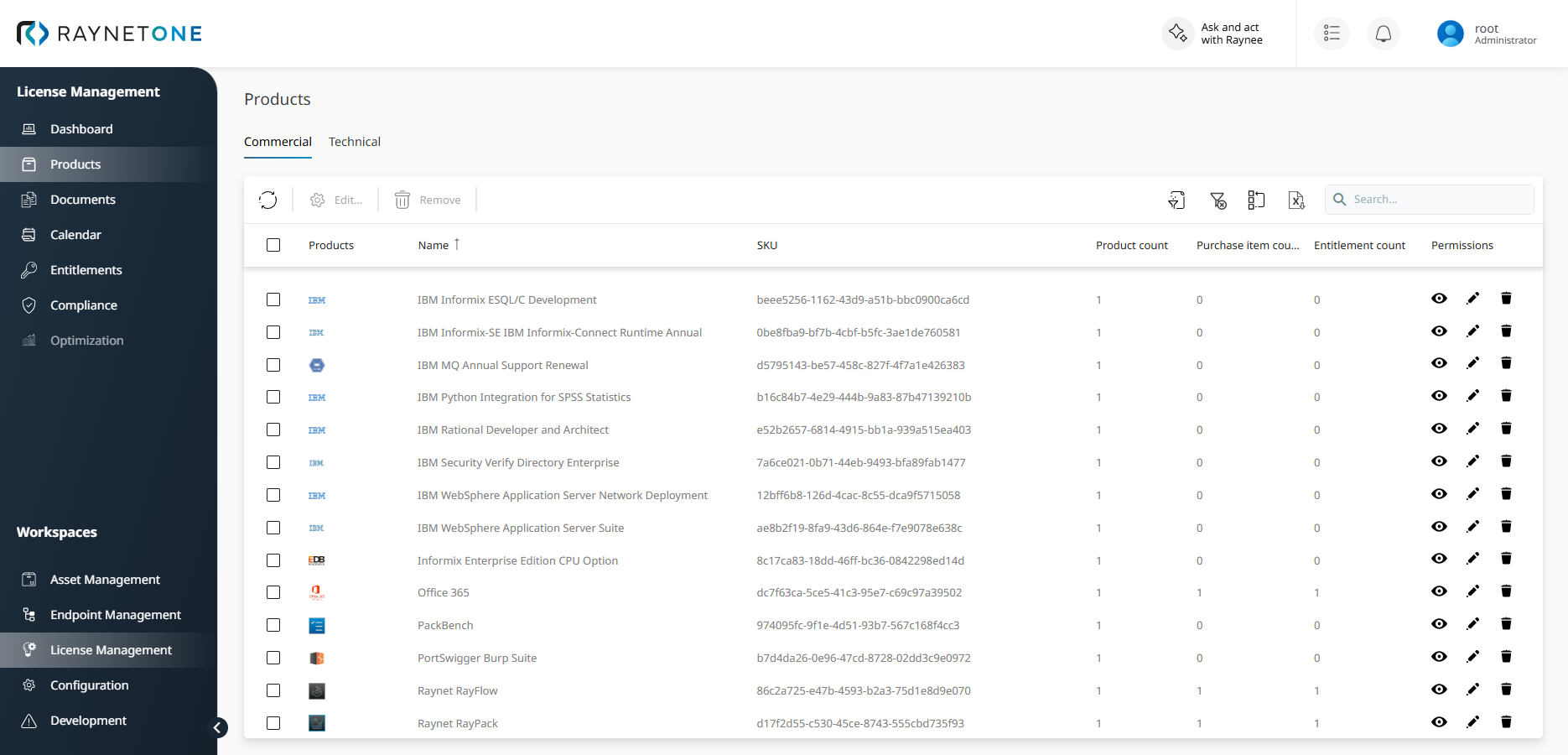
The Commercial tab shows all commercial license products. The columns visible on this tab are:
Column |
Description |
|---|---|
Products |
Icons of the linked technical products |
Name |
Commercial product name |
SKU |
Stock Keeping Unit identifier |
Product count |
Number of linked technical products |
Purchase item count |
Number of purchase items referencing this product |
Entitlement count |
Number of entitlements for this product |
Permissions |
Your permissions for the item, shown as icons for view, edit and delete |
A commercial product with Product count > 1 is a bundled product. There is no separate badge or icon on the Commercial grid that visually marks a product as a bundle — the product count column is your indicator.
Select a commercial product to open its details. The Purchases section lists the purchases that contain the product. The Total product cost column shows the cost of the product in each purchase, including the discounts of the purchase and its items. For details, see Purchase view.
Technical tab
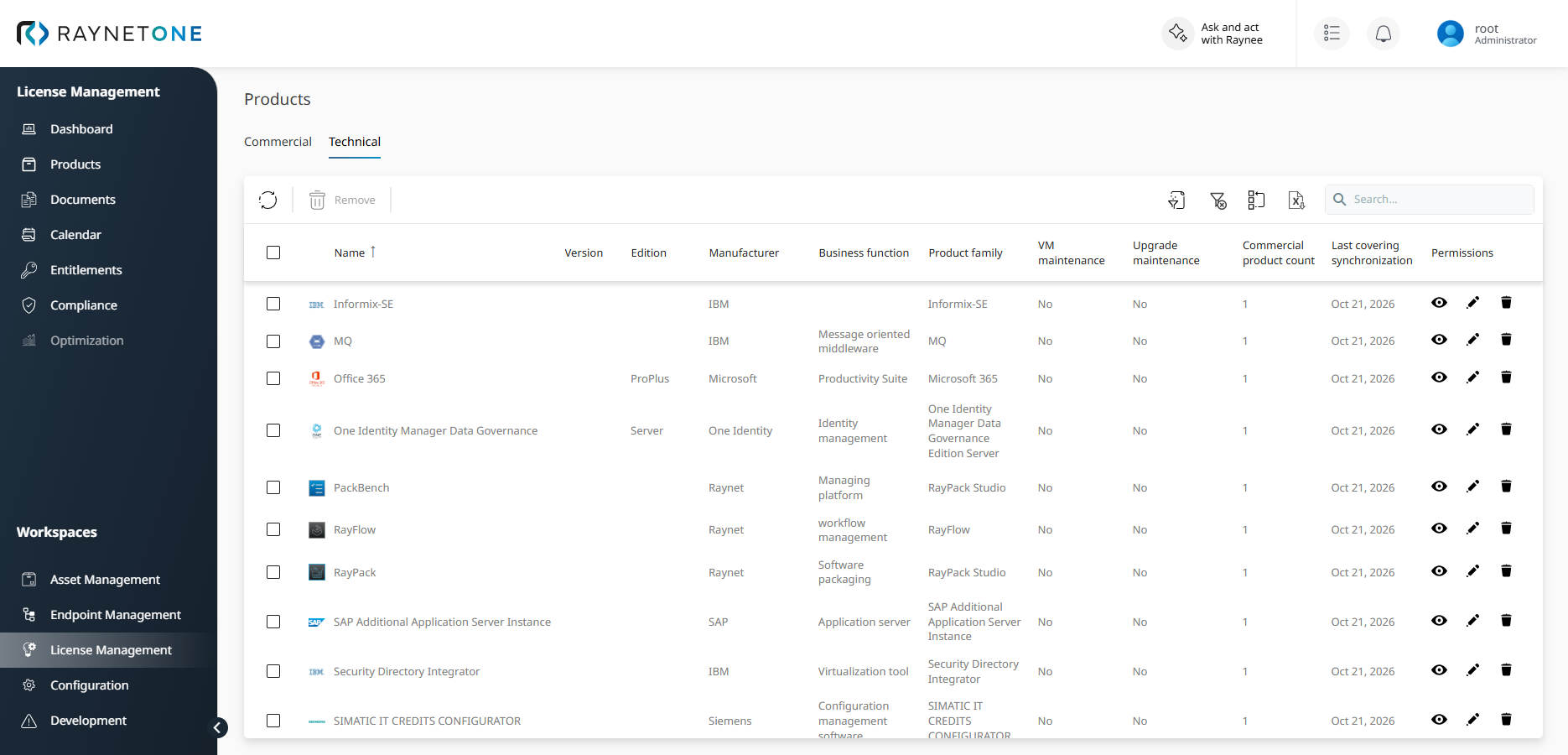
The Technical tab shows all installed products detected across your device inventory. The columns visible on this tab are:
Column |
Description |
|---|---|
Name |
Technical product name |
Version |
Product version |
Edition |
Product edition |
Manufacturer |
Software publisher |
Business function |
Functional category, derived from the Technology Catalog (for example, Suite of applications, Office Suite) |
Product family |
Product family grouping from the Technology Catalog |
VM maintenance |
Whether VM maintenance is required |
Upgrade maintenance |
Whether upgrade maintenance is required |
Commercial product count |
Number of commercial products this technical product belongs to |
Last covering synchronization |
Date of the last synchronization covering this product |
Permissions |
Your permissions for the item, shown as icons for view, edit and delete |
Important: The Business function value is copied from the Technology Catalog's classification at product creation time. It is a plain string, not a fixed Raynet-defined list of values. If the catalog classification changes after a product is created, the Business function on the technical product is not automatically updated.
Recognizing a bundled application on the Technical tab
On the Technical tab, a bundled application — an installed product that is part of a suite — can be recognized by its Business function and Product family values:
•Business function: displays the catalog classification for the product group (for example, Suite of applications for Adobe Creative Cloud components)
•Product family: displays the suite name the application belongs to (for example, Adobe Creative Cloud)
•Commercial product count: displays how many commercial products this technical product is linked to — a value greater than 1 means the application belongs to more than one commercial product
How a bundled product is linked to a purchase and entitlement
The licensing flow for a bundled product follows the same structure as for any product in Raynet One:
6.Purchase / Agreement (Documents)
7.Entitlement — references the commercial product (the bundle)
8.Compliance calculation at commercial product level
9.ELP result: Balance = Entitled + Downgrade + Upgrade − Demand
You create the purchase under License Management > Documents > Purchases or Agreements. The purchase references the commercial product — the bundle as a whole (for example, Adobe Creative Cloud All Apps), not the individual technical products. The entitlement is always created against the commercial product ID.
The commercial product (bundle or standalone) is selectable in the purchase wizard in the same way — there is no separate suite-only picker. The entitlement creation flow is identical for bundled and standalone products.
Where compliance is evaluated
Compliance is evaluated at the commercial product level — for bundles, this means at the suite level, not per individual component application.
•The entitlement references the commercial product (the bundle)
•Demand is calculated based on the number of devices or users with the bundle in scope — not per individual component application
•The ELP balance reflects whether you have enough licenses for the bundle as a whole
Individual bundled applications — such as Photoshop or Illustrator detected on a device — are covered by the suite's commercial product entitlement. They are not matched against individual technical product entitlements.
Be aware — standalone entitlement in parallel: If a bundled application (for example, Photoshop) is also licensed separately as a standalone commercial product, two separate commercial product records exist — each with its own entitlement and compliance chain. Raynet One does not merge these into a single compliance record. Which entitlement covers a given demand unit is determined by the product covering logic. If you need to confirm exact tie-break precedence for your environment, check with your Raynet One administrator.
Practical example: Adobe Creative Cloud All Apps
Adobe Creative Cloud All Apps is a subscription bundle that covers the full range of Adobe creative applications. Here is how it is handled end-to-end in Raynet One:
1. Commercial product (the bundle)
On the Commercial tab under Products, Adobe Creative Cloud All Apps appears as a single entry. Its Product count reflects the number of individual Adobe applications that are linked to it (for example, Photoshop, Illustrator, Premiere Pro). This is the product you reference in your purchase and entitlement.
2. Purchase and entitlement
You create a purchase or agreement under Documents that references Adobe Creative Cloud All Apps. The resulting entitlement defines how many suite licenses are available (for example, 50 licenses, User-based, Subscription model).
3. Technical products (bundled applications)
On the Technical tab, individual Adobe applications detected on devices appear as separate entries. They show Business function: Suite of applications and Product family: Adobe Creative Cloud. Their Commercial product count reflects that they are linked back to the Adobe Creative Cloud All Apps commercial product.
4. Compliance
Compliance is calculated at the commercial product level. The system determines how many devices or users have Adobe Creative Cloud in scope and compares that against the entitlement quantity. A single compliance record is generated for the Adobe Creative Cloud All Apps commercial product.
5. ELP result
Balance = Entitled + Downgrade + Upgrade − Demand
If you have 50 suite licenses and 48 users with Creative Cloud in scope, your balance is +2 (compliant).
How bundle membership is determined
Bundle membership is determined at catalog enrichment time, not at demand calculation time. When a technical product is created in Raynet One, the system copies the classification from the Technology Catalog onto the technical product's Business function field.
If a detected product has no classification in the Technology Catalog, its Business function is blank. There is no dedicated unmapped bundle state — a product with no catalog classification is treated as an ordinary standalone technical product with a single-entry commercial product link on its auto-generated commercial product.
Summary
Aspect |
Behavior |
|---|---|
Bundle definition |
A commercial product linked to more than one technical product |
Commercial tab |
One entry per commercial product — standalone and bundles look the same; Product count > 1 identifies a bundle |
Technical tab |
One entry per detected installed product; Business function and Product family identify bundle components |
Purchase and entitlement |
Created at commercial product (suite) level, not per component |
Compliance evaluation |
At commercial product level — not per individual bundled application |
ELP calculation |
Based on suite demand vs. suite entitlement quantity |
Bundle identification |
Determined at catalog enrichment time via Technology Catalog classification |
Retired terminology |
"Product Suites" as a named UI concept was retired September 2026 |