The Compliance overview displays compliance records in structured list. Each row shows the compliance result for one product, including values such as Model, Metric, Entitled, Downgrade, Upgrade, and Demand.
Some rows can be expanded using the arrow icon on the left, when displayed. When expanded, the row shows a lower-level breakdown of the compliance values, for example by Resource group.
The expanded area can include fields such as:
•Resource group
•Entitled
•Downgrade
•Upgrade
•Demand
•Balance
|
Note: |

The expanded breakdown provides additional context for how the compliance record is represented below summary level. Depending on the underlying data, values shown in the expanded area may differ from the manually maintained summary values in the main row.
Downgrade logic
Negative value: quantity is transferred from the current product to an older compatible version.
Positive value: quantity is received by the current product from a newer compatible version.
Zero: no downgrade relationship is applied.
Upgrade logic
Negative value: quantity is transferred from the current product to a newer compatible version.
Positive value: quantity is received by the current product from an older version.
Zero: no upgrade relationship is applied.
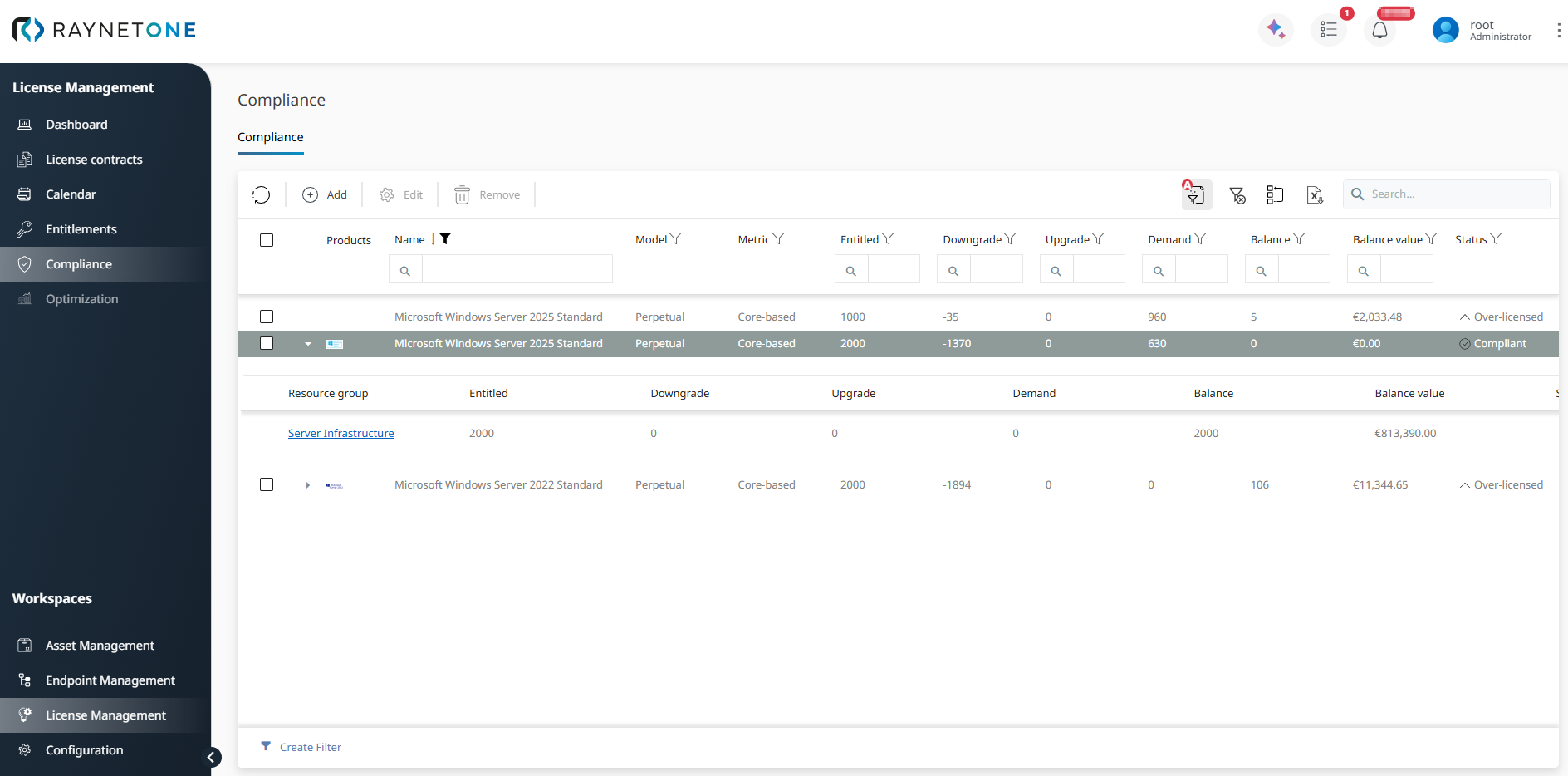
Expanded compliance row showing the summary record and the lower-level breakdown by resource group.