Designing Reports

<< Click to Display Table of Contents >>

Raynet One Data Hub > 14.0 > Dashboards and Reports Customization Guide 

Designing Reports

The Web Report Designer allows you to create data-bound reports and contains a rich set of tools to construct report layouts that meet your requirements.
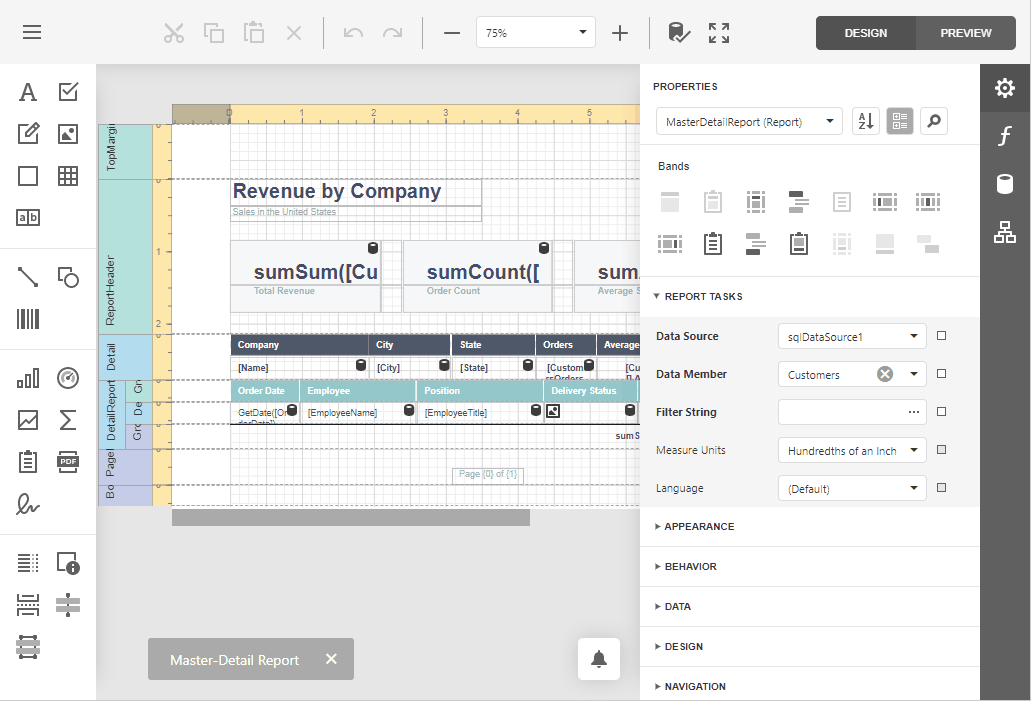
 

WebReportDesigner


•First Look at the Report Designer

•Add New Reports

•Open Reports

•Save Reports

•Introduction to Banded Reports

•Bind to Data

•Create Popular Reports

•Configure Design Settings

•Use Report Elements

•Shape Report Data

•Lay out Dynamic Report Content

•Customize Appearance

•Add Navigation

•Provide Interactivity

•Add Extra Information

•Use Expressions

•Localize Reports

•Report Designer Tools

•Preview, Print and Export Reports


papercliper

Note:

Specific features described in this guide may differ from what you see in your application. This depends on your application vendor.