Upon initiating an Inventory scan (Zero Touch), the captured data, including file scan results, is transferred to the Raynet One Inventory Endpoint as a temporary .ndi file.
To ensure data quality, the raw inventory undergoes an automated refinement process within Raynet One, where it is matched against the Technology Catalog, where it undergoes normalization (converting inconsistent entries, such as varying file names, into standardized product names and versions) and enrichment (adding manufacturer details, lifecycle information (EoL/EoS), and known vulnerabilities (CVEs)).
Only after this refinement step are the cleaned and enhanced results displayed in the UI, primarily under Asset Management (sections such as IT Visibility, Software, Hardware, Databases, Vulnerabilities), as well as in the platform's dashboards and reports.
The following examples illustrate how typical file scan results appear in these views.
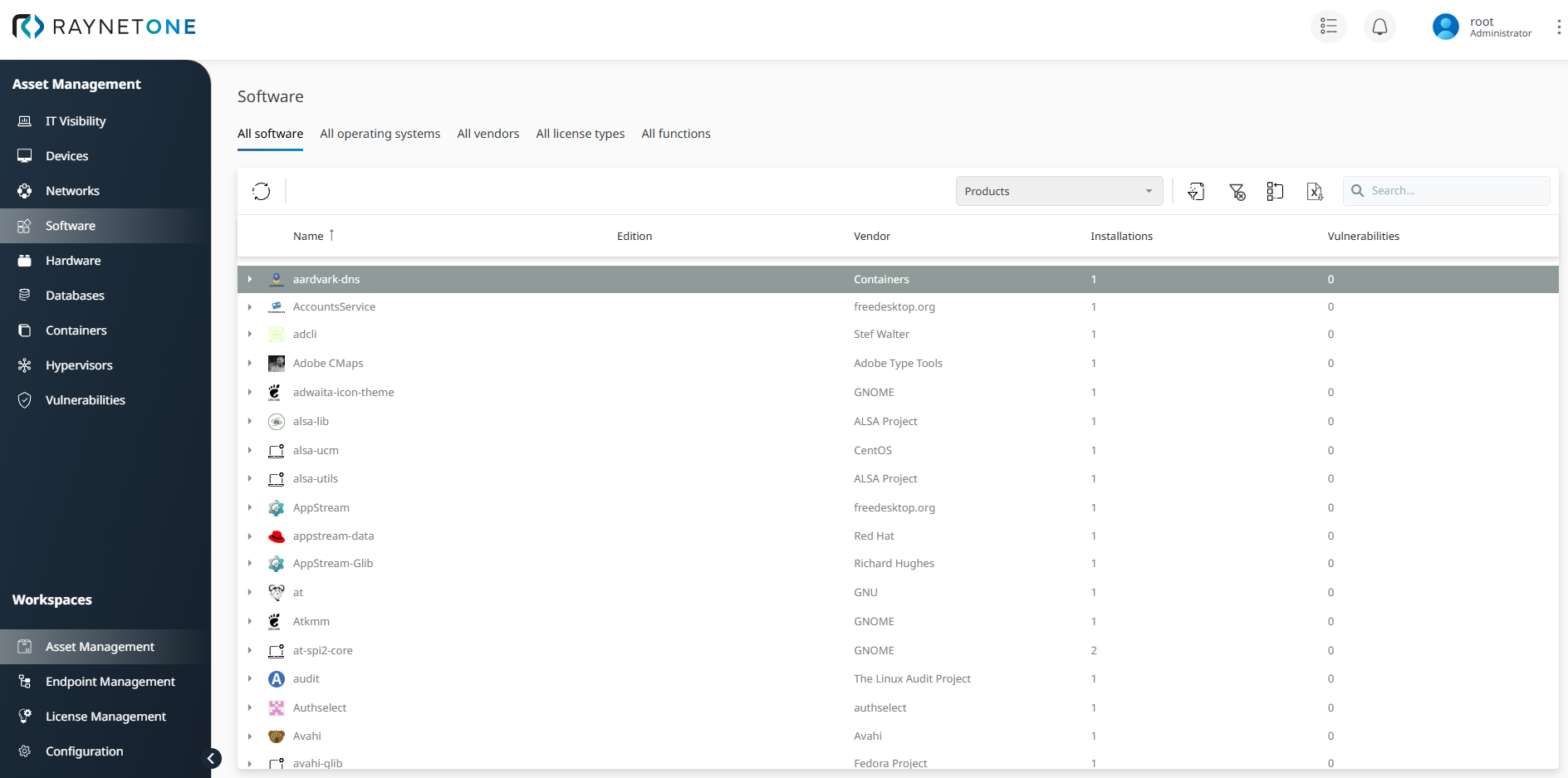
Once the Inventory scan is complete, identified software and components are aggregated in the Software view, providing a consolidated overview of all detected installations.
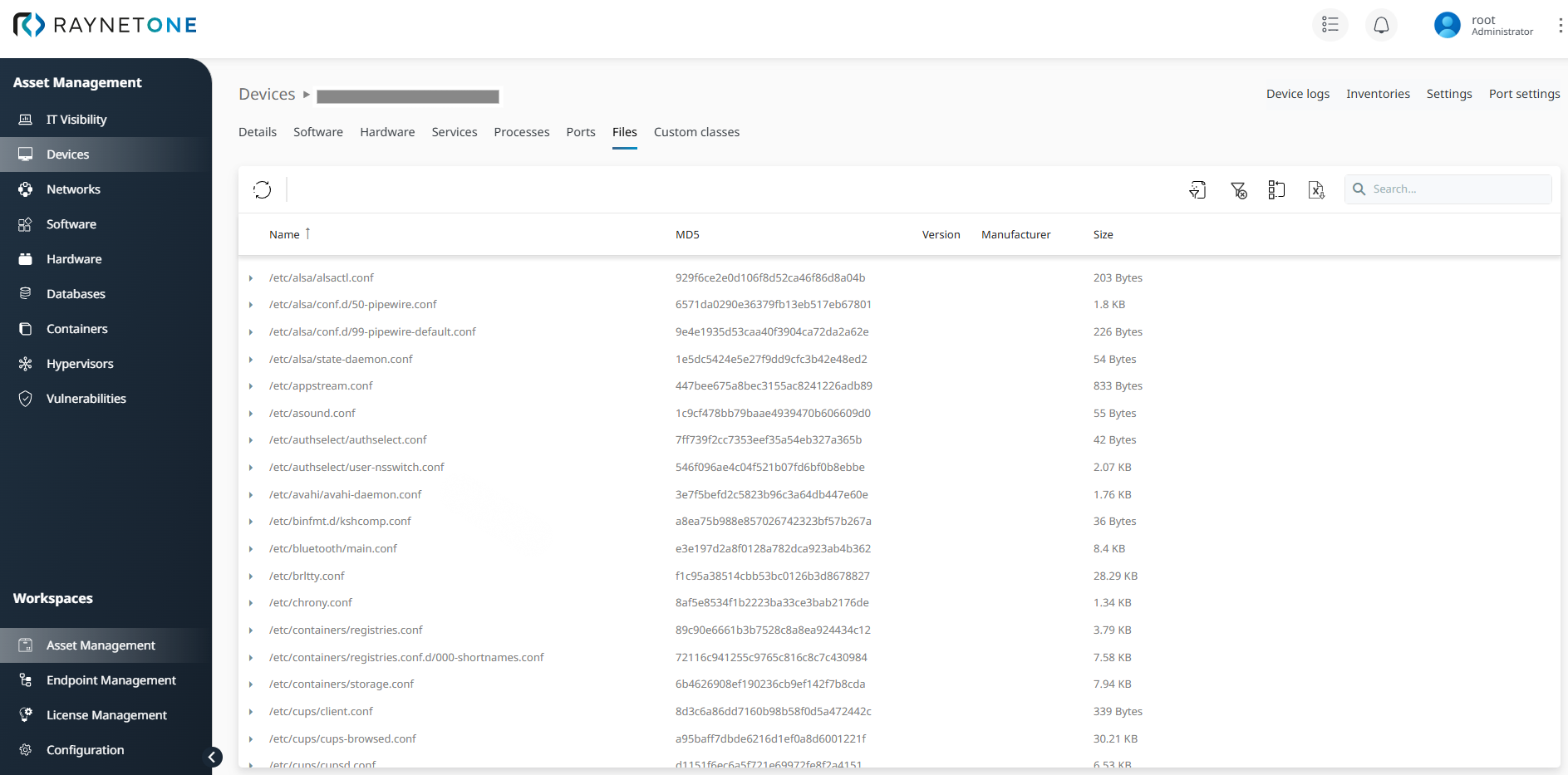
In the Devices view, the Files tab lists all detected files for both Windows and Unix/Linux endpoints. This view displays details such as file name, MD5 checksum, and size; please note that the available data depends on your specific scan specification, as some fields may remain empty if the corresponding attributes were not targeted during the scan.
The data collected from file scans is automatically processed within the IT Visibility view. By navigating to the Security tab, you gain a comprehensive overview of your software health, including current EoL and support statuses. This view correlates discovered files with known CVEs, providing a high-level risk assessment of your company's security posture based on actual file system states.
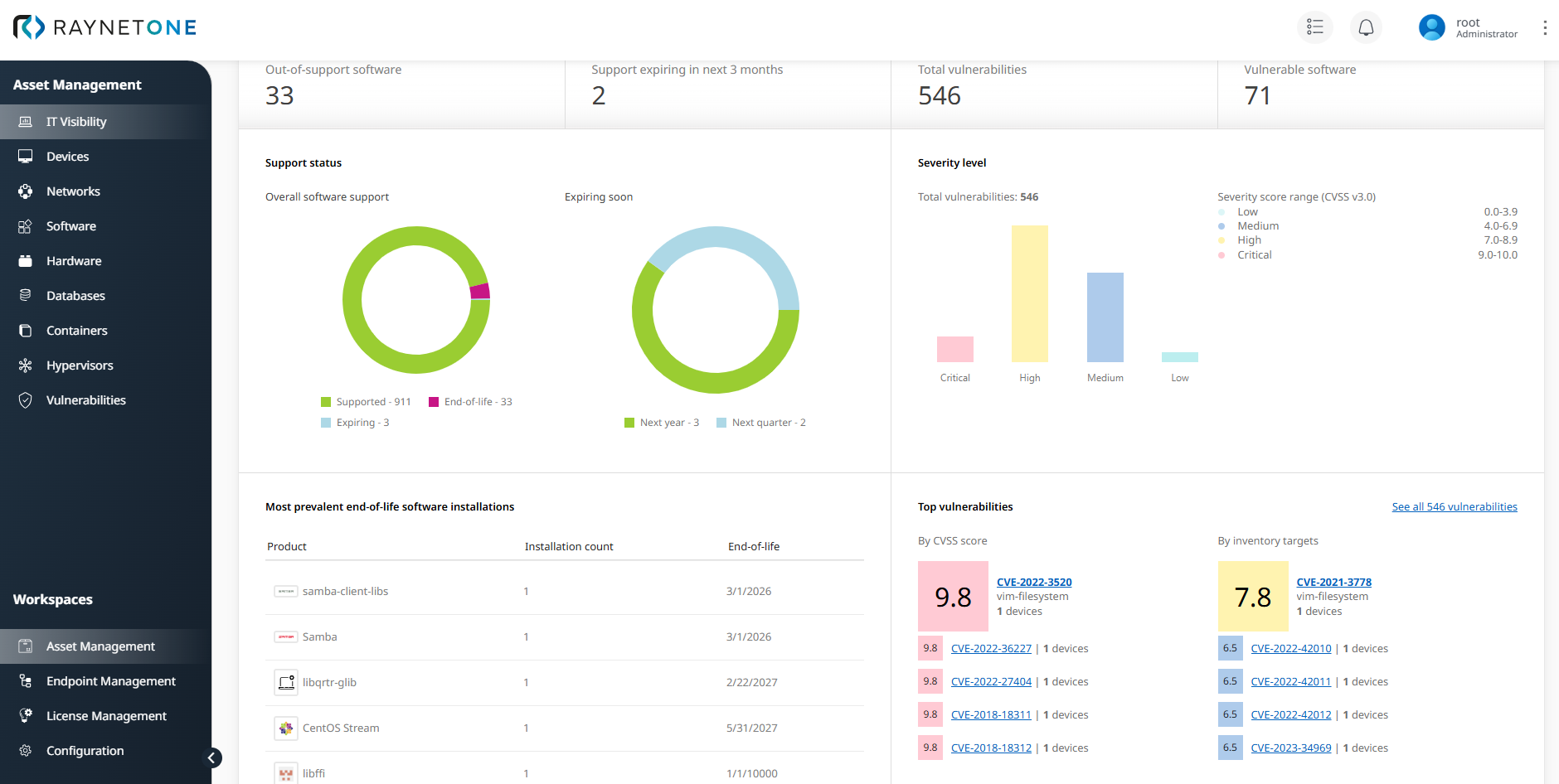
This centralized view enables administrators to identify critical vulnerabilities and outdated software versions across the infrastructure.