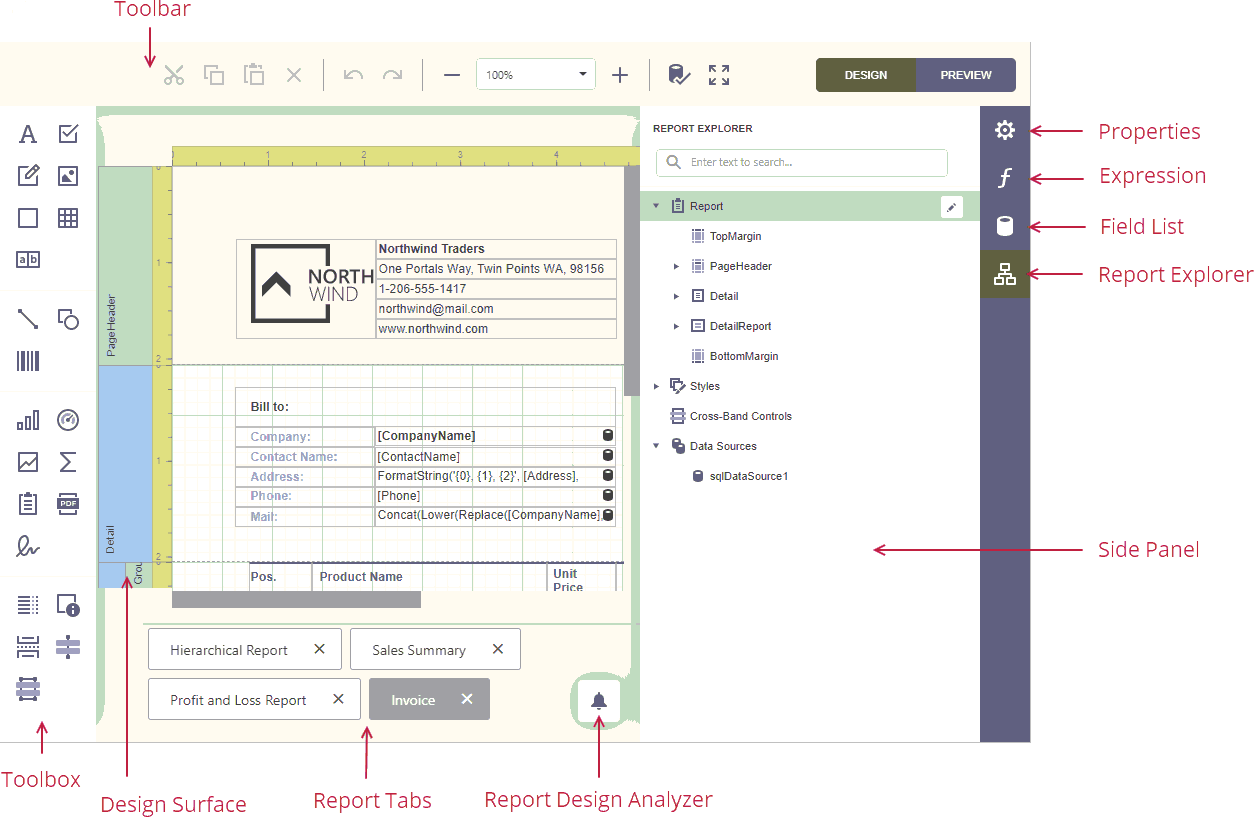
The Design Surface displays a report's structure and contents. You can use the tools on the Report Designer's panels to design the report:
•drop report controls from the Toolbox to the design surface;
•access report editing commands in the Main Toolbar;
•use the Properties panel to set up the report controls;
•use the Expressions panel to provide data to the report controls and conditionally shape data;
•access the report's data source schema in the Field List panel;
•access the report's elements in the Report Explorer panel.