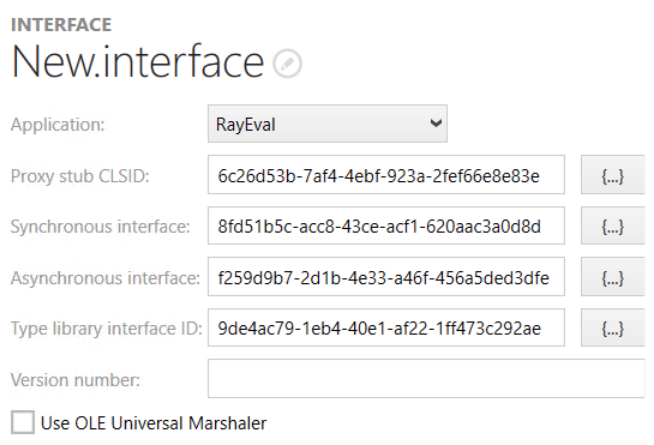
•Application: Select an option from the dropdown menu. The dropdown menu will contain all the packages that are available in the package as well as the (None) option.
•Proxy stub CLSID: This field corresponds to the ProxyStubClsid32 registry value. To create a new one, click on the {...} button.
•Synchronous interface: This field contains the ID of another interface registration containing SynchronousInterface that references this registration. The other interface must be in the same comInterface registration. To create a new one, click on the {...} button.
•Asynchronous interface: This field contains the ID of another interface registration containing AsynchronousInterface that references this registration. The other interface must be in the same comInterface registration. To create a new one, click on the {...} button.
•Type library interface ID: This field contains the type library ID.
•Version number: This field contains the version number of the type library.
•Use OLE Universal Marshaler: Activate the checkbox in order to use the OLE Universal Marshaler as the proxy stub.