Once an MSIX or APPX project / package is opened, the following view is shown:
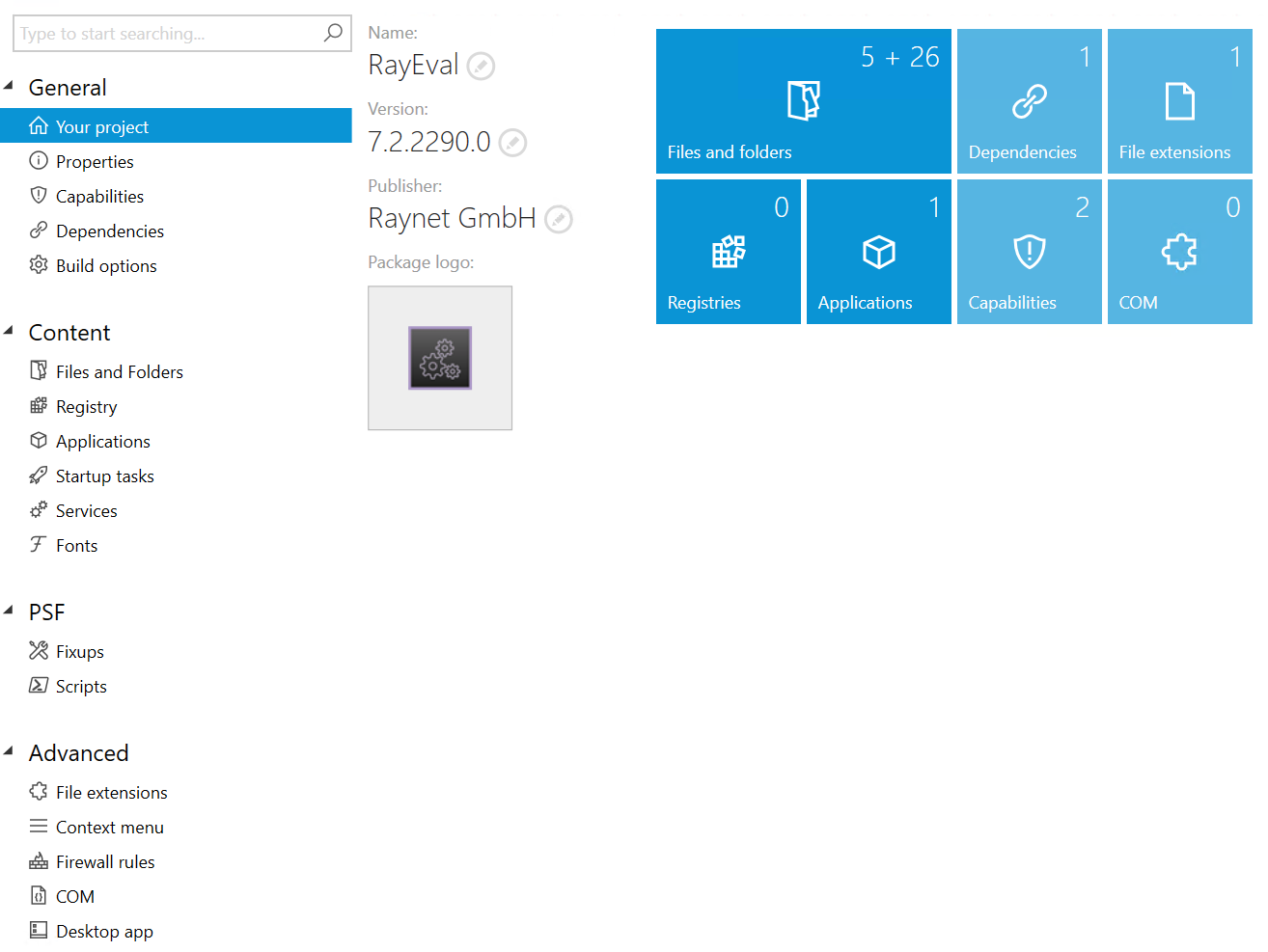
The left sidebar contains common categories of actions and features supported by RayPack 7.3. The actions and features are divided into the following categories:
General
•Your Project - shows the dashboard with an overview of available features.
•Properties - the properties of the package, including its identity.
•Capabilities - the definition of functions which are required for the current package to work.
•Dependencies - the definition of dependent packages, supported target platforms, and base packages (for Modification Packages).
•Build options - various options used for building, including signature options and installer options.
Content
•Files and folders - the list of files and folders in the current package.
•Registry - the list of Registry keys and values in the current package.
•Applications - the list of applications (entry points) and their visuals.
•Startup tasks - the definition of startup tasks supported by this package.
•Services - the definition of packages services, supported since Windows 10 2004 (May 2020 Update).
•Fonts - the definition of the fonts used for the application.
PSF
•Fixups - the options for compatibility settings via PSF fixups.
•Scripts - the options for scripts, that can be executed before the app starts or upon closing.
Extensions
•File extensions - the definition of the supported file extensions.
•Context menu - the definition of the verbs supported by this package.
•Firewall rules - the definition of firewall rules.
•COM - the list of COM published by the package.
•Desktop app - the definition of the shortcut and the Application User Model ID.
In the following, the different actions and features are described in detail.