Platform Requirements
•Host OS: Any OS capable of running Docker containers.
•CPU / RAM / Disk:
◦Minimum: 4 vCPU, 16 GB RAM
◦Recommended: 8 vCPU, 32 GB RAM
DNS Requirements
•Target domain: DOMAIN_NAME=<your target domain> (e.g., raynetone.example.com)
•Required DNS records: identity (keycloak), frontend, backend, message queue, object store (MinIO), optional rvia-server
•TLS / Certificates:
◦If using Let's Encrypt with the HTTP-01 challenge, wildcard certificates are not supported.
◦For production deployments, a wildcard certificate is recommended for operational simplicity, but individual certificates are also supported.
◦This guide assumes DNS records are resolvable from the reverse proxy.
Firewall and Connectivity
Incoming
•Mandatory: Port 443/tcp to the deployment host.
•Optional: Port 5672/tcp (AMQP) if Runner communication over AMQP is required.
Outgoing
•Outbound internet access is not required for core operation if Docker images are pre-staged in a private registry and licensing is provided via file.
•Outbound connectivity may be required for operational integrations (e.g., catalog updates) or optional external services.
Required Tools
•Docker Engine (≥ v24.0): The container runtime environment.
•Docker Compose (≥ v2): Required for orchestrating the service stack.
•OpenSSL: Necessary for the generate_env.sh script to create secure, unique cryptographic keys and database passwords during setup.
Verification:
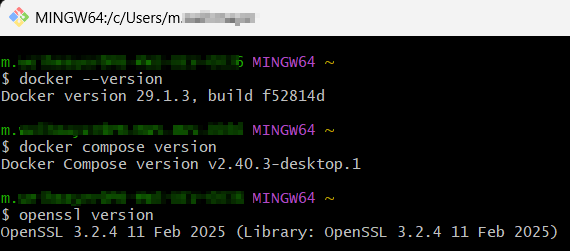
Verify that all required tools are installed and accessible before proceeding with the Raynet One Docker Compose installation. Run the following commands on the Docker host:
docker --version
docker compose version
openssl version
After these steps, you can go to the section Setup and Configuration where the generate_env.sh file is configured.