The License Contracts section is the central location for capturing and managing all license agreements in Raynet One. A license contract represents the commercial agreement (invoice, quote, or agreement), while the entitlements derived from it define the quantifiable usage rights used for compliance analysis.
Capturing entitlements means converting the purchased rights into structured, machine-readable data - including the exact product, license metric, quantity, validity period, and any special rights. Raynet One treats this as a foundational process: only when
entitlements are accurately captured can the system perform reliable automated reconciliation against discovered installations, calculate the ELP, generate compliance reports, and deliver meaningful optimization recommendations.
Access via Workspaces > License Management > Contracts.
The available tabs are:
•Contracts: Shows the complete list of license contracts. This is also where users can start the Add license contract wizard by clicking Add in the toolbar.
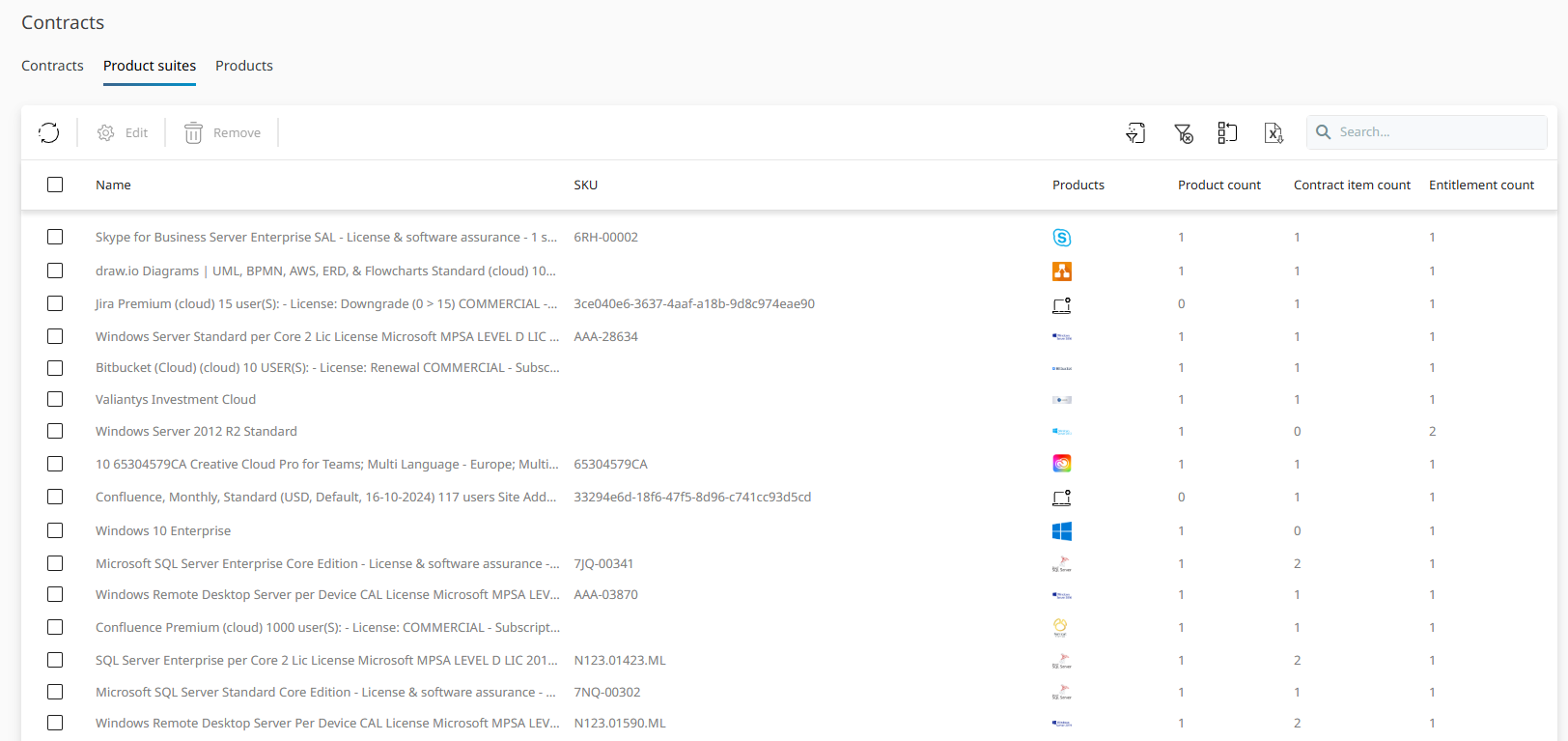
•Product suites: Shows product suites related to license contracts and entitlement data.
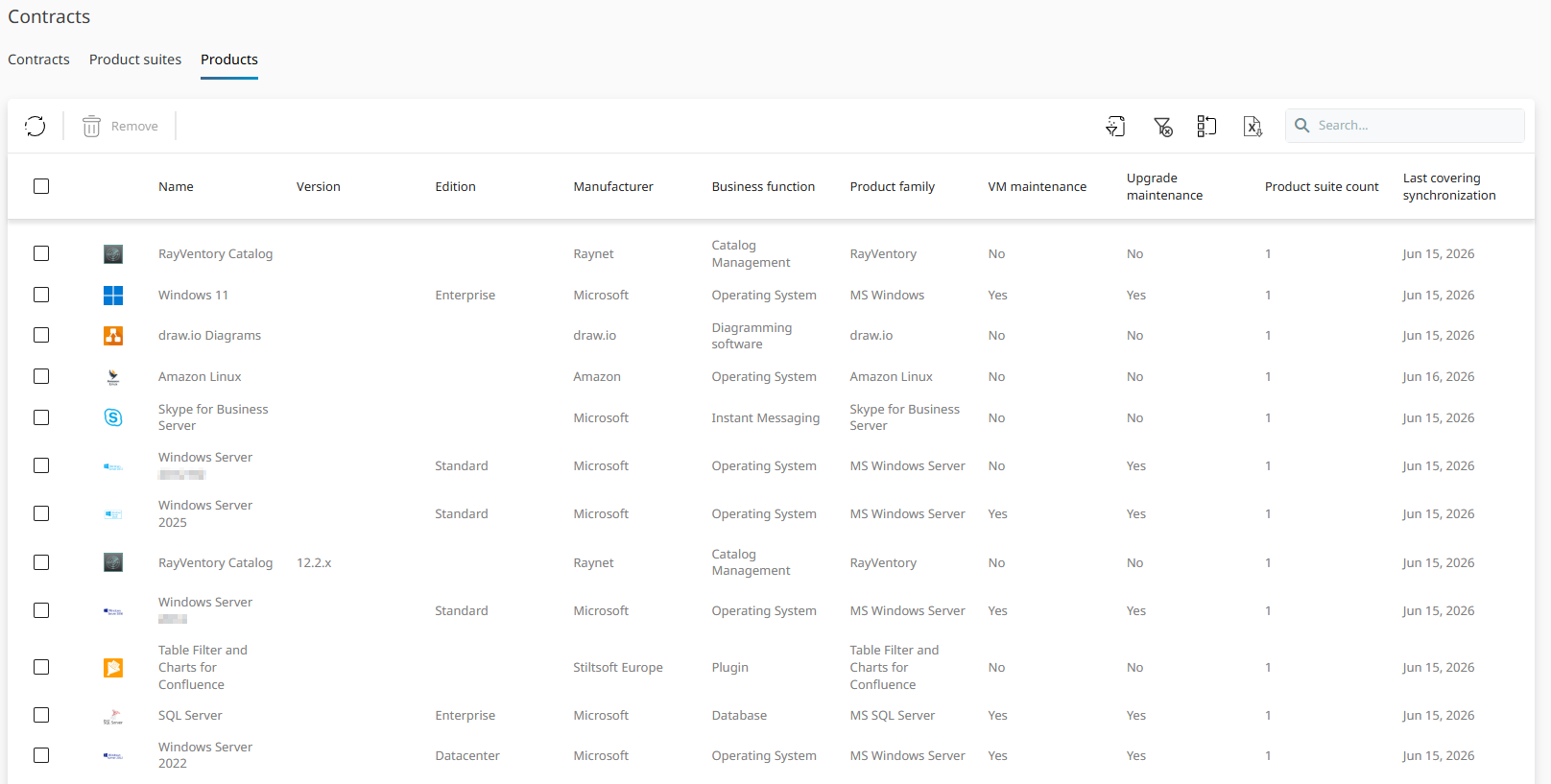
•Products: Shows individual products related to license contracts and entitlement data.
In the Contracts tab, you can view and manage the complete list of all license contracts stored in the system. Select any contract to view its details, related entitlements, and lifecycle events. Use the Add action in the toolbar to create a new contract. You can filter by name, invoice date, supplier, customer, products, and total costs, as well as search and export functions. The Permissions column shows the available actions for each contract record directly in the list.
When a contract is created or updated, Raynet One automatically generates related lifecycle events in the Calendar. The following triggers apply:
TRIGGER |
GENERATED EVENT |
|---|---|
Invoice date (first purchase) |
New Purchase Event |
Invoice date (renewal) |
Contract Invoiced Event |
License start date (first purchase) |
Purchased Event |
License start date (renewal, same entitlement) |
Purchased Renewal Event |
License end date |
License Expiration Warning (shown on the final day) |
Changes to License model or License metric influence the entitlement and may update existing events. Updating an existing contract will also refresh the associated automatic events. Automatically generated events cannot be edited manually.
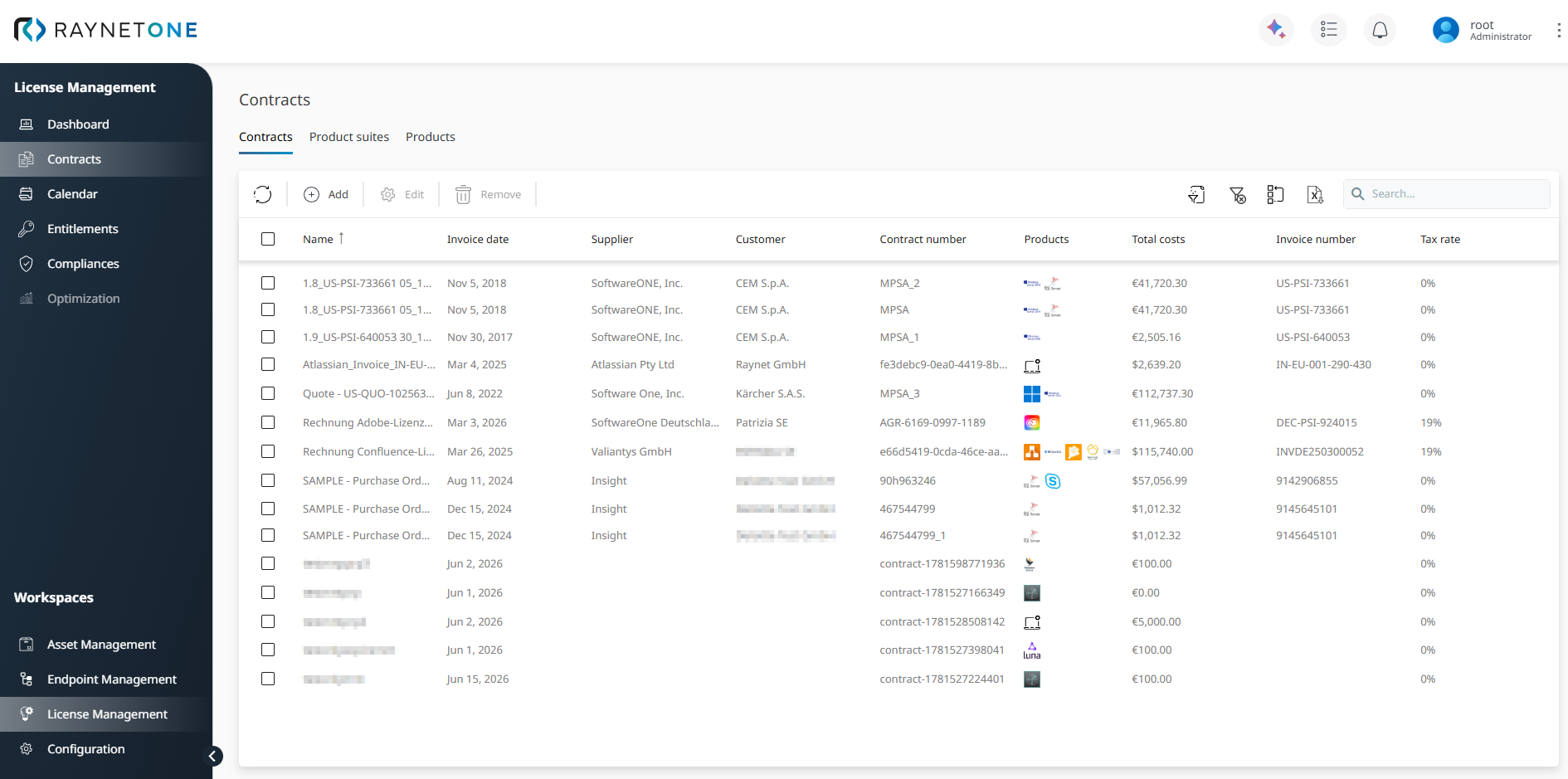
The following figure shows the Product suites tab, where product suites associated with license contracts can be reviewed. Product suites group related products under a shared license agreement, making it easier to manage multi-product entitlements.
In the Products tab, you can review individual products associated with license contracts and entitlement data.
Adding a New License Contract
When creating a new license contract, the following input methods are available:
•Manual entry: Best for full control when no digital document is available. Enter contract and product data directly using the guided wizard.
•Import from file: Fastest option when you have a PDF or another supported document. This option uses SAM AI for data extraction.
•Import from files: Upload multiple license contract documents. SAM AI extracts and imports the contract and entitlement information from each file automatically.
•Enter text: Useful when you have raw text from a contract excerpt. This option is also AI-supported.
When a contract is created or updated, Raynet One automatically generates related lifecycle events in the Calendar, including purchase events, renewal milestones, and license expiration warnings.
 |
Best practice: |