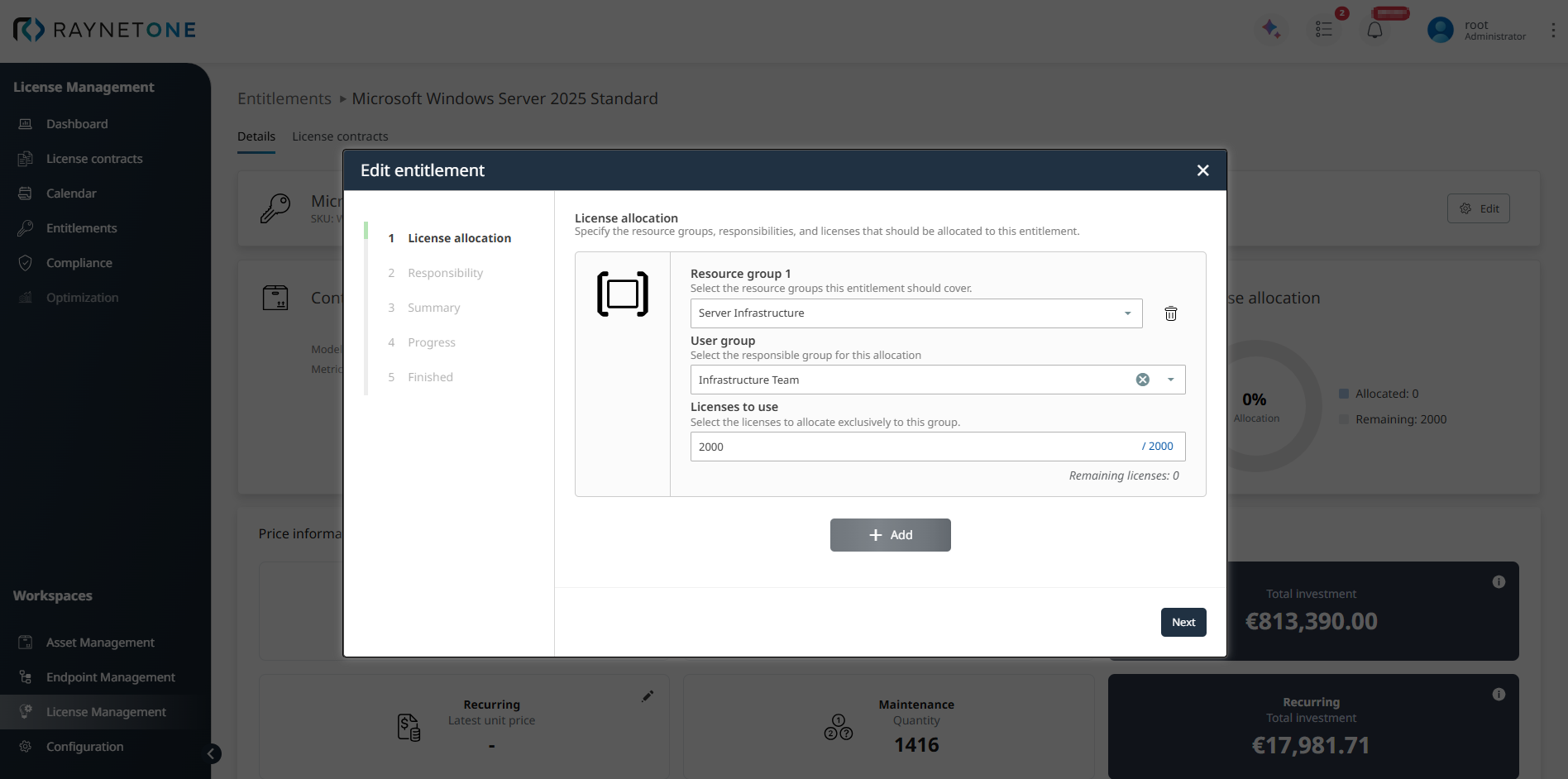
To allocate licenses for an existing entitlement, open the entitlement and click Edit. In the License allocation step, select the resource group, assign the user group, and enter the number of licenses to allocate.
In the example shown, the entitlement is allocated to Server Infrastructure, assigned to Infrastructure Team, and configured with 2000 licenses. The remaining quantity is updated automatically, in this case it is 0. If required, additional license
allocations can be added by clicking + Add.
If no quantity is available for allocation, first create the required resource group in the Configuration workspace under Resource groups.
Click Next to continue to the Responsibility step.
2. Responsibility
In the Responsibility step, select the user group that should be responsible for the entitlement. Once the correct user group has been selected, click Next to proceed to the Summary step.
3. Summary
In the Summary step, review the selected license allocation and responsibility before updating the entitlement.
4. Progress
In the Progress step, Raynet One applies the changes and updates the entitlement with the selected allocation and responsibility settings.
5. Finished
In the Finished step, Raynet One confirms that the entitlement has been updated successfully. This indicates that the license allocation and responsibility settings entered in the previous steps have been saved. Click Finish to close the wizard and return to the entitlement record.
Result after update
After the wizard is completed, the entitlement record shows the updated allocation and responsibility data in the Details tab. In the example, 2000 licenses are allocated, 0 remain available, and the assigned user group is displayed in the Responsibility section. Below Price information, additional sections such as License timeline, License allocations, and License contracts provide further entitlement context. The License timeline section shows the recorded lifecycle events of the entitlement over time.
