In order to configure the KeyCloak login for usage with Raynet One Data Hub it is necessary to create a new Client in an existing or new KeyCloak realm.
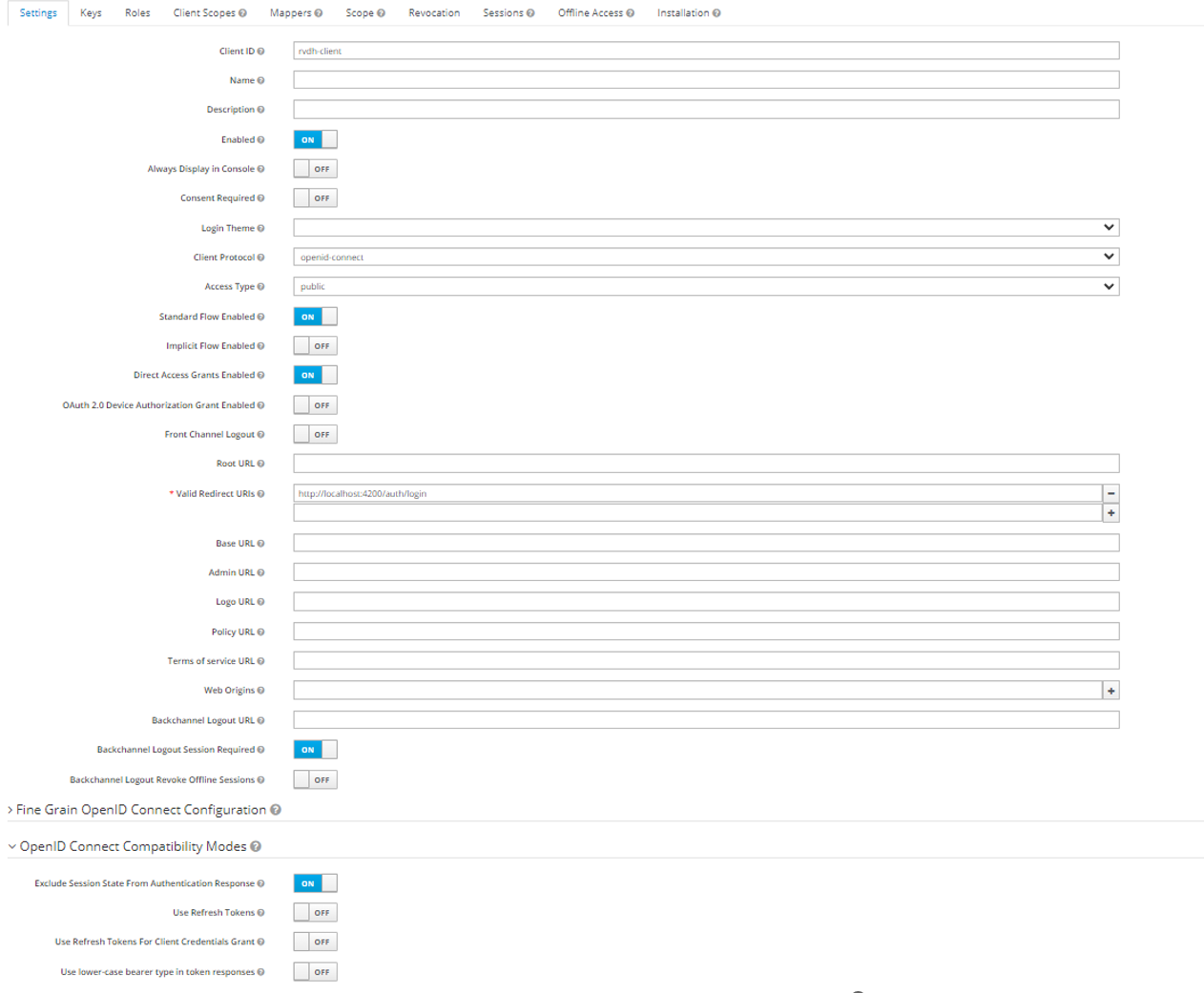
Add the mandatory information to the settings page of the client and set the following settings:
•Main Settings
oEnabled = "On"
oStandard Flow Enabled = "On"
oDirect Access Grants Enabled = "On"
oBackchannel Logout Session Required = "On"
•Open ID Connect Compatibility Modes Settings
oExclude Session State From Authentication Response = "On"
oUse Refresh Tokens = "Off"
Ensure that Access Type is set to confidential to get access to the Client Secret.
Open the appsettings.json (by default it can be found at C:\Program Files (x86)\Raynet One Data Hub).
Adjust the following entries to match the KeyCloak Client that will be used.
"ExternalIdentityManagement": { "IsEnabled": "true", "LoginUrl": "[YOUR_KEYCLOAK_INSTANCE/realms/[YOUR-REALM]/protocol/openid-connect/auth?response_type=code&client_id=[YOUR-CLIENTID]", "ClientSecret": "[YOUR SECRET]", "Realm": "[YOUR REALM]", "Client": "[YOUR CLIENTID]", "AuthAPI": "[YOUR_KEYCLOAK_INSTANCE/realms/[YOUR-REALM]/protocol/openid-connect/token", "InitialTenant": "[YOUR INITIAL TENANT NAME]"
}, |
The InitialTenant value specifies the name of the tenant to which KeyCloak-authenticated users are assigned upon their first login. When a user logs in via KeyCloak for the first time, the application automatically creates a user account within the tenant defined by this value.
Important: A tenant with the exact same name as the value set for InitialTenant must already exist in the application before enabling KeyCloak authentication. If the specified tenant does not exist, new users will not be created successfully upon their first login.
An example default appsettings.json after a fresh install of Raynet One Data Hub can be found here.