 |
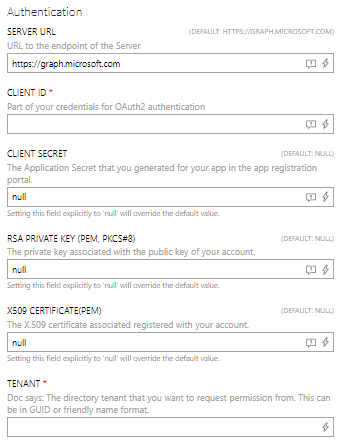
•Enter the Client ID which is part of the credentials for the OAuth2 authentication into the CLIENT ID field. •Enter the directory tenant that information should be requested from into the TENANT field. •It is necessary to supply either a Client Secret or a Client Certificate for authentication. Choose one of the following two options. oIf using Client Secret authentication, enter the Application Secret that has been generated in the App Registration Portal into the CLIENT SECRET field. oIf using Certificate authentication, enter the client certificate as a base-64 encoded string into the CLIENT CERTIFICATE field. When a Client Certificate is provided, the Client Secret is ignored. Optionally, configure the CLIENT CERTIFICATE AUTHORITY HOST and SEND CLIENT CERTIFICATE CHAIN fields as needed. |