In order for the Raynet One Data Hub AWS EC2 connector to connect and inventory an EC2 environment it is necessary to provide the following configuration parameters.
|
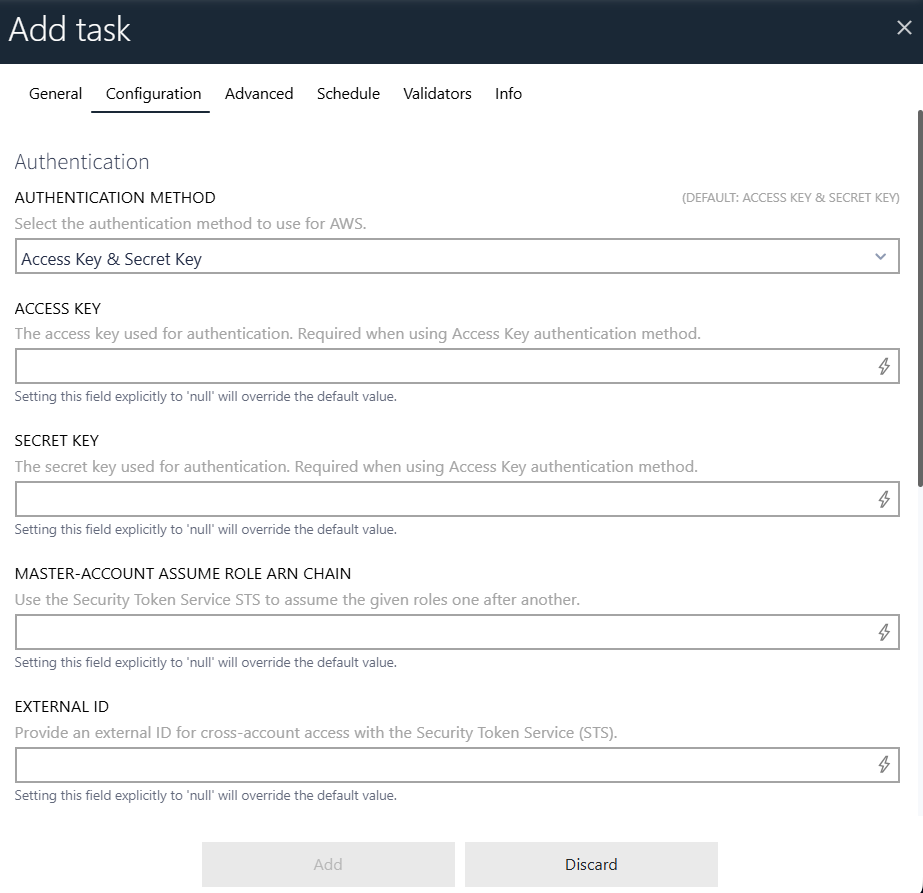
•Use the AUTHENTICATION METHOD parameter to select the method used to authenticate with AWS. Choose Access Key & Secret Key to authenticate using static AWS credentials, or Web Identity Federation (OIDC) to use temporary security tokens obtained from an external identity provider. •When using Access Key & Secret Key: enter the ACCESS KEY and SECRET KEY of the IAM user or role used for the connection. It is recommended to generate credentials tailored to this connector via the IAM Console. •When using Web Identity Federation (OIDC): enter the CLIENT ID, CLIENT SECRET, AWS ROLE ARN, SESSION DURATION (SECONDS), and IDENTITY PROVIDER TOKEN ENDPOINT URL for the OIDC-based authentication flow. •Optionally, enter a MASTER-ACCOUNT ASSUME ROLE ARN CHAIN to escalate privileges via the Session Token Service (STS) after the initial authentication. •Optionally, enter an EXTERNAL ID for cross-account access with the Session Token Service (STS). |

|
•While not mandatory, users can configure the TIMEOUT IN SECONDS to limit the duration of task execution. The default is 86400 seconds (24 hours). |