You can use the installer to configure basic proxy properties (host, port and credentials). To configure proxy, make sure to use Custom installation type.
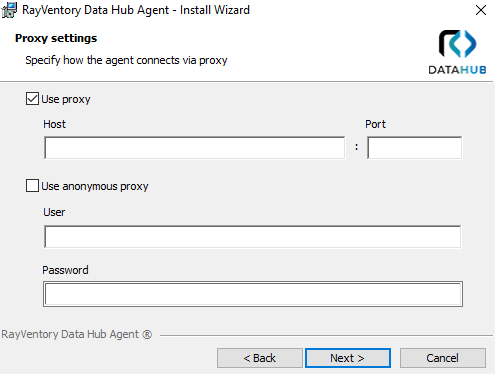
If you install the agent on your own or a custom configuration is required, the changes can be done post-mortem via the configuration file.
The configuration is stored in file Raynet.RayVentory.DataHub.Agent.dll.config located in the installation folder.
The following XML Attributes can be set in the <appSettings> XML node:
Parameter |
Required |
Description |
|---|---|---|
ProxyHost |
Yes |
The host of the proxy |
ProxyPort |
No |
The port of the proxy |
ProxyUsername |
No |
The user to be used to authenticate against the proxy |
ProxyPassword |
No |
The password to be used to authenticate against the proxy |
BypassProxyOnLocal |
No |
A boolean value that indicates whether to bypass the proxy server for local addresses. true to bypass the proxy server for local addresses; otherwise, false. The default value is false. |
BypassList |
No |
A list of host name patterns that the agent connects to directly, bypassing the configured proxy server. Entries are separated by a pipe character |.
You can use the following special characters for matching:
•* (asterisk) — matches zero or more characters •? (question mark) — matches exactly one character
Example: internal.corp|*.local|192.168.1.*
For Python-based connectors, the bypass list is applied as the no_proxy environment variable. The agent automatically converts the |-separated entries into the comma-separated format required by Python. No additional configuration is needed.
The active bypass list is recorded in the agent log together with the other proxy settings at startup. |