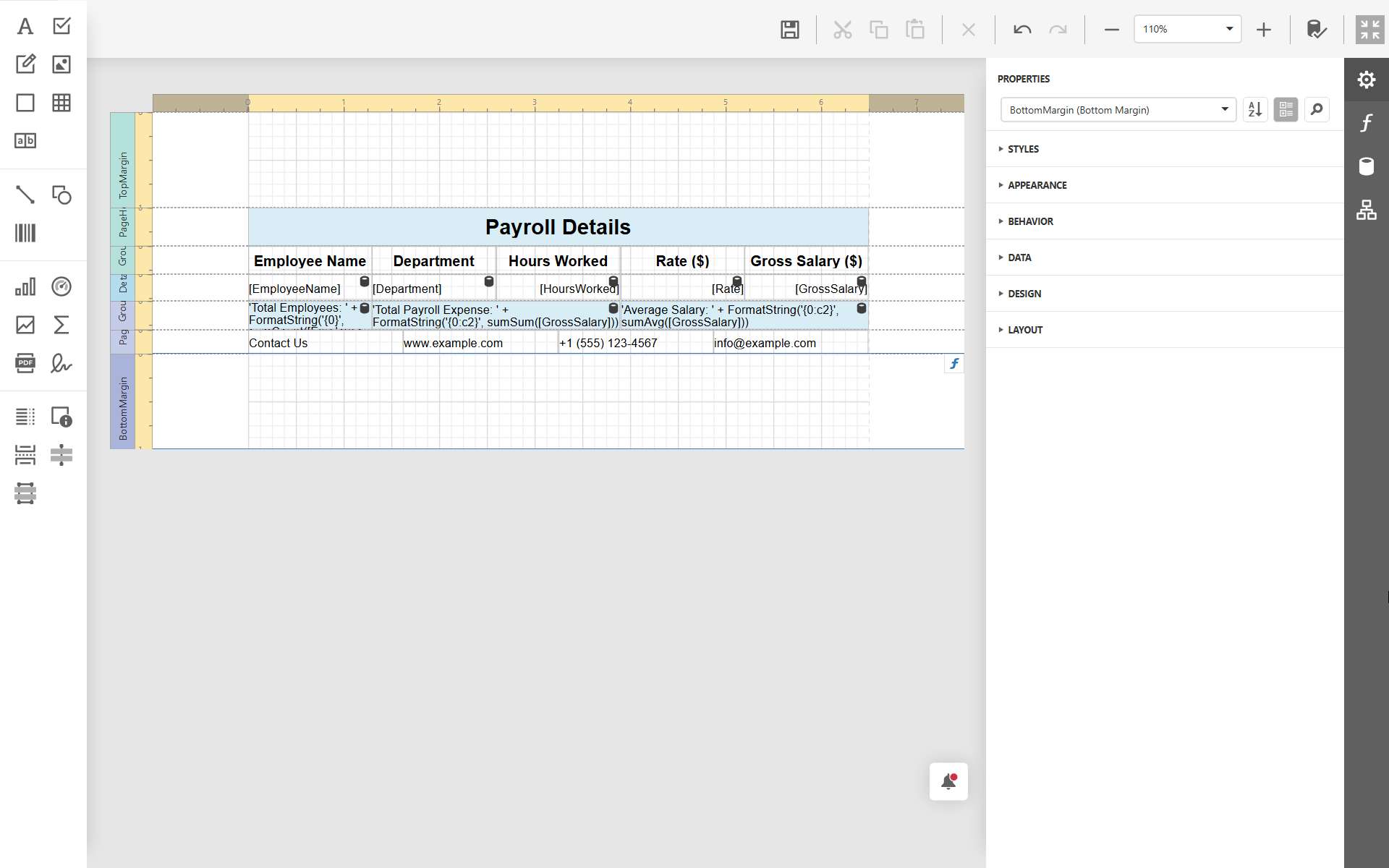
This tutorial explains how to generate a report using either your own custom prompt or predefined template prompts. Before you can use the AI features, make sure AI is enabled as described in the user guide.
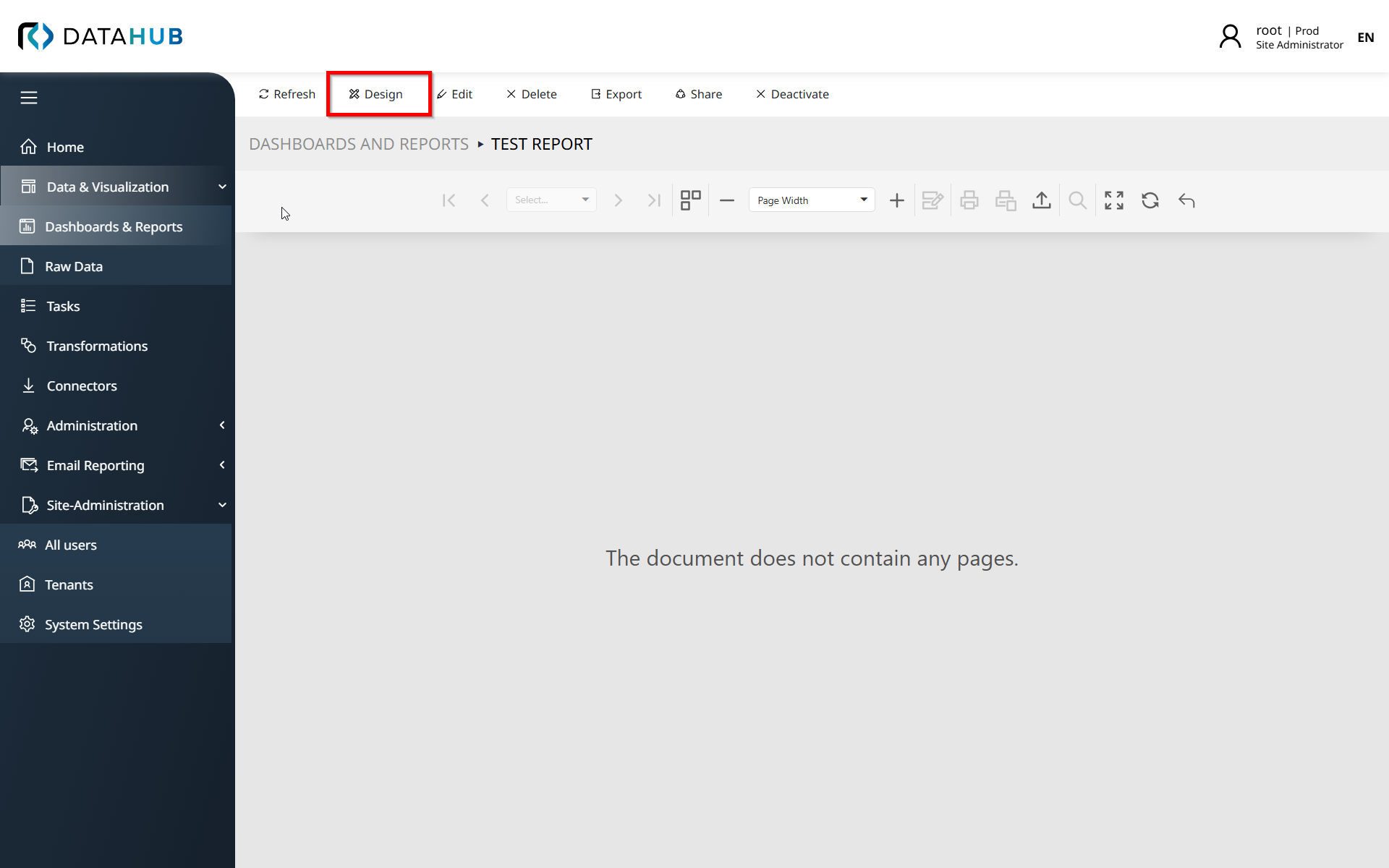
1.Open the report you want to generate and click Design at the top of the page.
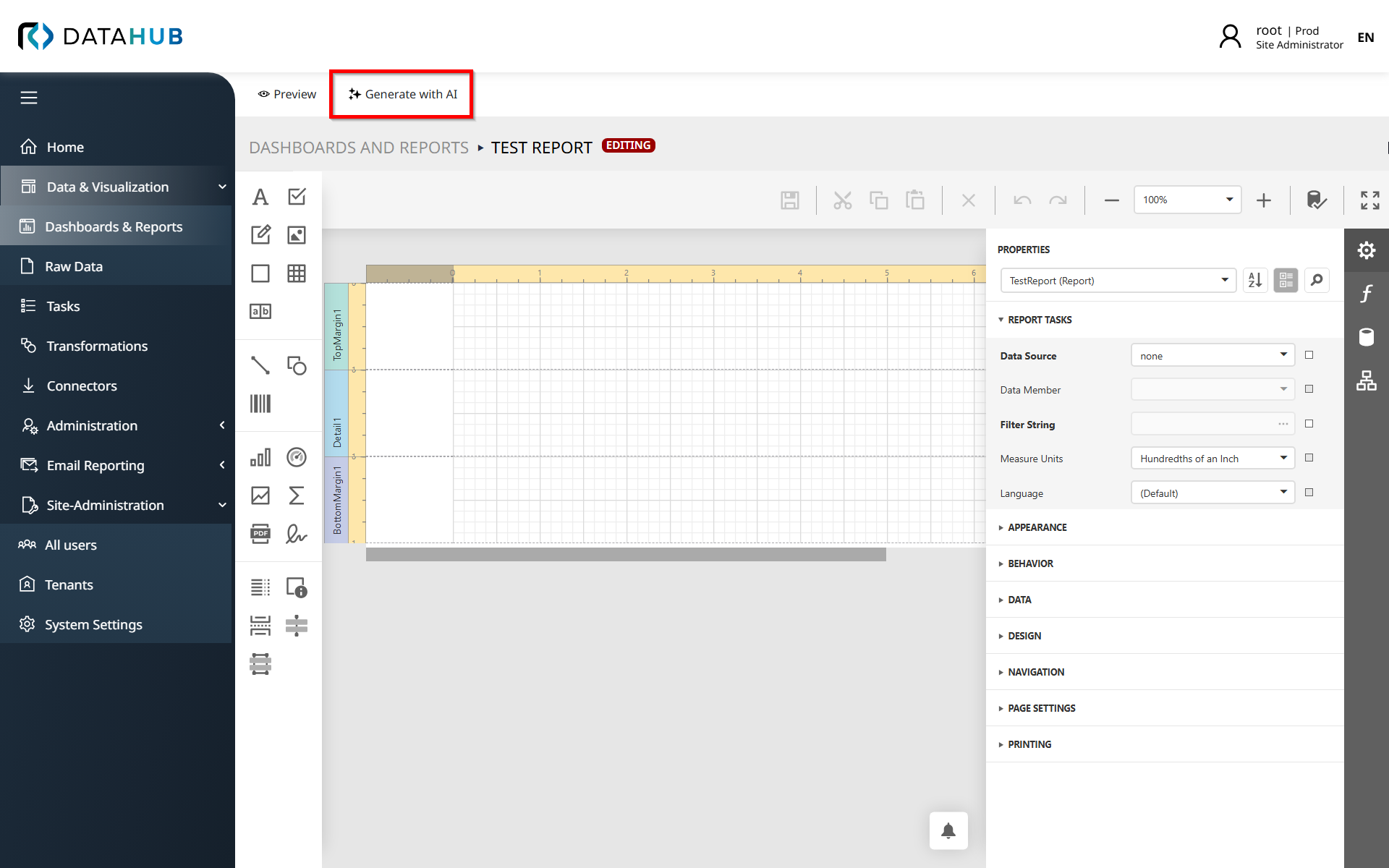
2.In the Design view, click Generate with AI.
3.Choose one of the following options:
•Write your own prompt to describe the report you want to generate.
•Use a predefined prompt (ready-to-use prompts are available, including a prompt template that helps you structure your own prompt).
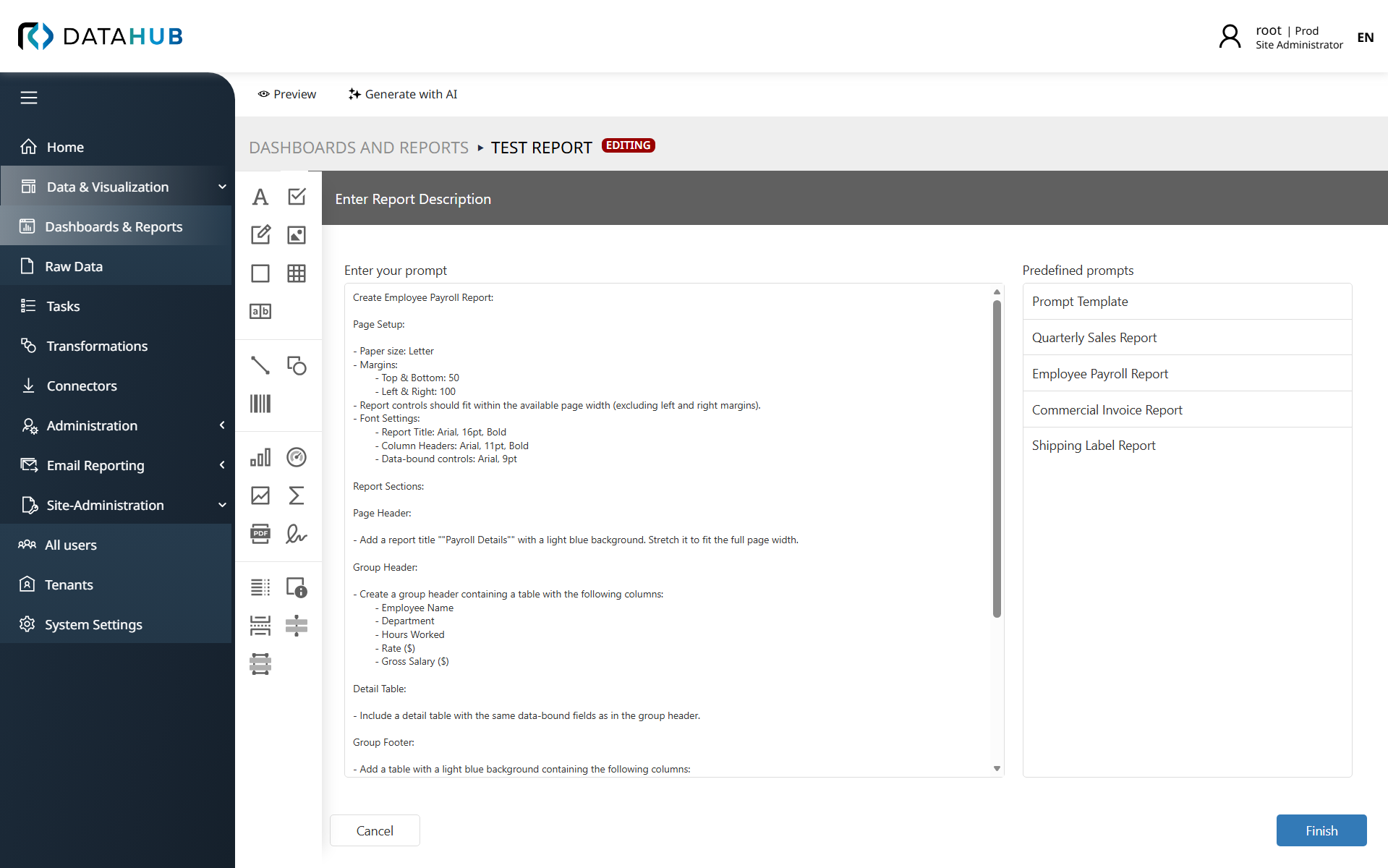
4.After you enter or select a prompt, click Generate to create the report. The report is generated based on your selected prompt.