The Data Hub integration connects Raynet One to a Raynet One Data Hub instance. It enables the Raynet One AI Chat to request supported external data that is stored and processed in Data Hub. AI Chat is the Raynet One feature. In the UI, the AI assistant is presented as Raynée.
The integration described in this topic configures the connection from Raynet One to Data Hub. It does not configure the separate AI assistant available directly within Data Hub.
Overview
After the integration has been configured and activated, Raynet One can retrieve supported data from the connected Data Hub instance in response to AI Chat requests.
Supported query scenarios include Microsoft 365, ServiceNow, and supported custom queries against data available in Data Hub. Access to the returned data is limited by the permissions assigned to the configured Data Hub API key.
The AI functionality in Data Hub must be configured separately. For configuration instructions, see Enabling AI Functionality in the Raynet One Data Hub User Guide.
Prerequisites
Before configuring the Data Hub integration, ensure that:
•A supported Raynet One Data Hub instance is running and reachable from the Raynet One server.
•The Data Hub server URL is available.
•A valid Data Hub API key is available and permitted to access the AI data-fetching endpoint and the required Data Hub tables.
•The AI Chat integration in Raynet One is configured and activated.
For more information about configuring AI Chat, see AI Chat Configuration & Deployment.
Adding the Data Hub Integration
To add and configure the Data Hub integration, use the Add integration wizard. For general information about the wizard, see Add an integration.
1.Go to Configuration > Integrations.
2.Click Add Integration.
3.Select Data Hub as the integration type.
4.Keep Activated selected to make the integration available immediately after it is created.
5.Click Next.
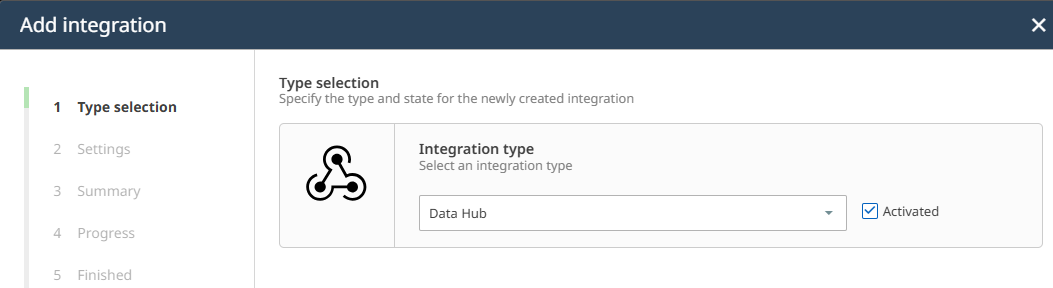
Select Data Hub as the integration type. Keep Activated selected to activate the integration when it is created.
6.Enter the following settings:
Setting |
Required |
Description |
|---|---|---|
URL |
Yes |
The base URL of the Data Hub server endpoint. The URL must be valid and reachable from the Raynet One server. |
API Key |
Yes |
The Data Hub API key used to authenticate requests. The key must permit access to the AI data-fetching endpoint and the required Data Hub tables. |
7.Under Advanced settings, select one of the following options:
•Use default settings: Uses the default timeout and maximum-attempt values. This is the recommended option for a standard configuration.
•Edit default settings: Adds an Advanced settings step to the wizard, where you can modify Timeout and Maximum attempts.
8.Click Next.
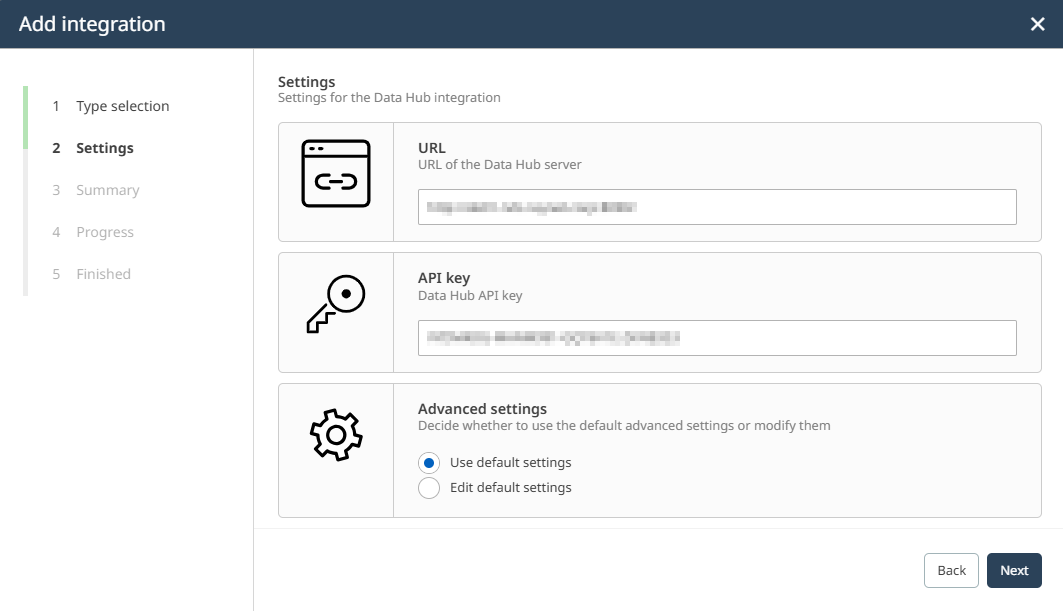
Enter the Data Hub server URL and API key. Keep Use default settings selected unless different connection settings are required.
If Edit default settings is selected, configure the following values:
Setting |
Default |
Description |
|---|---|---|
Timeout (ms) |
30000 |
Specifies how long Raynet One waits for a Data Hub request before the attempt fails. |
Maximum attempts |
5 |
Specifies the maximum number of attempts made for a Data Hub request. |
9.Review the configuration in the Summary step.
10.Complete the wizard.
When the integration is created, Raynet One validates the configuration and attempts to connect to the Data Hub server using the supplied API key. If the connection test fails, the integration cannot be saved.
Verify the URL and API key before retrying.
Using the Data Hub Integration
After the Data Hub integration has been successfully configured and activated, the AI Chat feature gains the ability to query Office 365 data from the connected Data Hub server.
Users can ask questions about their Office 365 environment directly in the AI Chat interface. The assistant routes these requests to Data Hub and returns structured results based on the data available in the connected instance.
Example questions you can ask in the AI Chat:
•"How many Office 365 users are currently active?"
•"Which Office 365 licenses are assigned to users in my environment?"
•"Show me a summary of Office 365 usage across my organization."
|
Note: The AI Chat must be separately configured and active for the Data Hub integration to provide data in the chat interface. See AI Chat for an overview of the AI Chat feature. |

Viewing and Editing the Integration
After the integration has been created, you can inspect its current configuration and update the URL or API key at any time. For instructions, see Inspect and edit an integration.