The advanced filtering for the Device log tab offers a dropdown box which can be used to filter the Device Logs in regard of the actions.
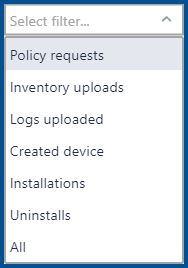
•Policy requests: If this option is selected, only logging data for policy requests will be shown.
•Inventory uploads: If this option is selected, only logging data for inventory uploads is shown.
•Log uploaded: If this options is selected, only logging data for log uploads is shown.
•Created device: If this option is selected, only logging data for created devices is shown.
•Installations: If this option is selected, only logging data for installation actions is shown.
•Uninstalls: If this option is selected, only logging data for uninstallation actions is shown.
•All: If this options is selected, all logging data for the device will be shown.