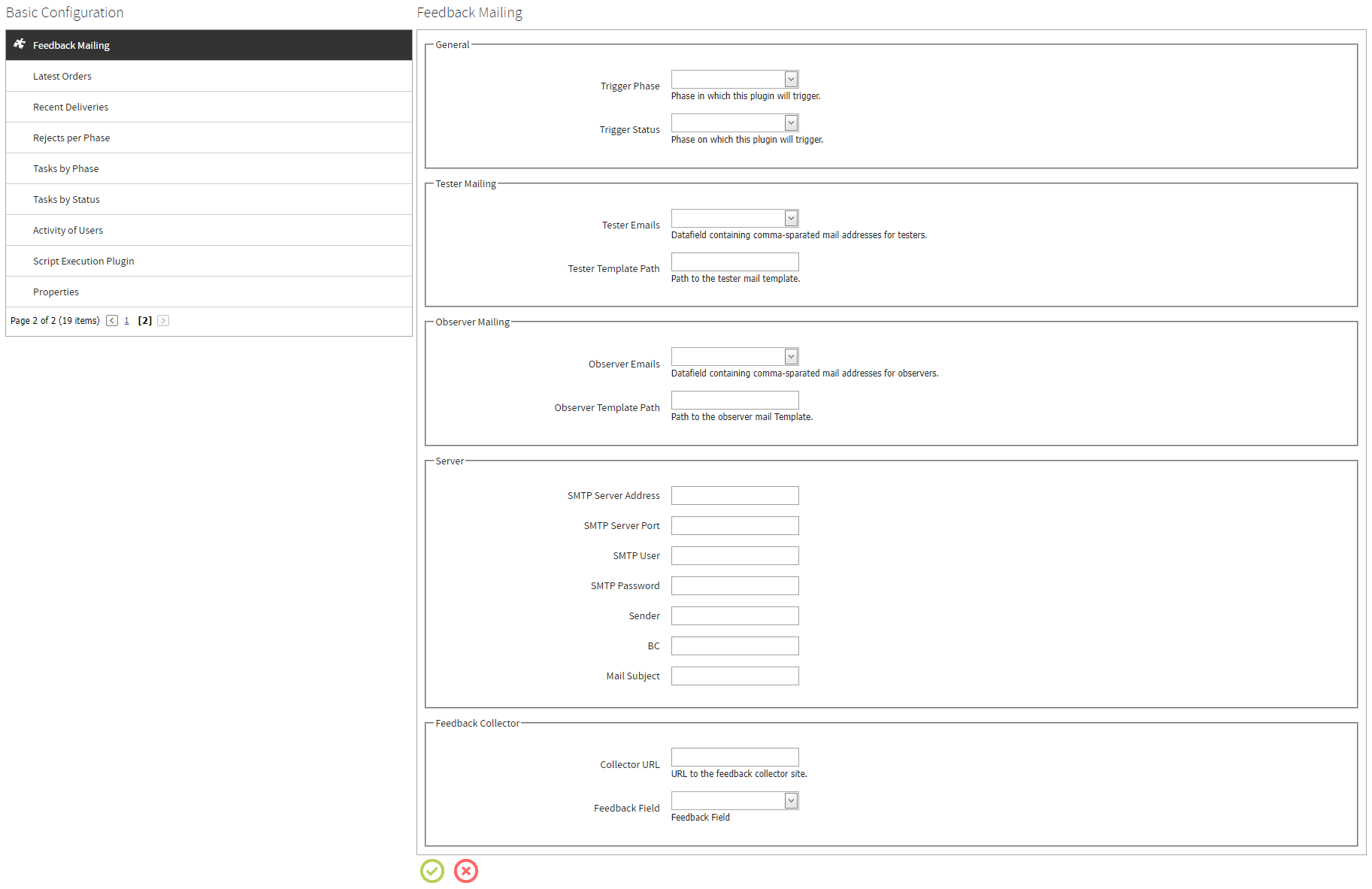
The Feedback Mailing plugin can be configured here.
General
•Trigger Phase: Select the phase in which the plugin will be triggered from the dropdown menu.
•Trigger Status: Select the status which will trigger the plugin from the dropdown menu.
Tester Mailing
•Tester Emails: Select the datafield that contains the email addresses for the testers from the dropdown menu. Multiple addresses can be separated by commata.
•Tester Template Path: This field needs to be set to the path where the mail template for the testers is located. The default template TesterTemplateExample.html is located in the C:\inetpub\wwwroot\rayflow\bin\Plugins folder.
Observer Mailing
•Observer Emails: Select the datafield that contains the email addresses for the observers from the dropdown menu. Multiple addresses can be separated by commata.
•Observer Template Path: This field needs to be set to the path where the mail template for the observers is located. The default template ObserverTemplateExample.html is located in the C:\inetpub\wwwroot\rayflow\bin\Plugins folder.
Server
•SMTP Server Address: The address of the SMTP Mail server that is being used.
•SMTP Server Port: The port that is used for the SMTP Mail server.
•SMTP User: The name of the user that is used for the SMTP Mail server.
•SMTP Password: The password of the user that is used for the SMTP Mail server.
•Sender: A valid email address.
•BC: Any additional mail addresses. If more than one email address will be added, they need to be divided by semicolons (example.mail.com;second.mail.com).
•Mail Subject: The subject that will be used for the mail.
Feedback Collector
•Collector URL: The URL to the collector feedback site.
•Feedback Field: Select the datafield containing the feedback from the dropdown menu.